Files remain ordinary files
Your source material stays directly accessible outside NoNote.
 NoNote
Download
NoNote
Download
Not Only Notes.
NoNote starts with what you already have, turning local files, notes and research into knowledge you can search, understand, discuss and build on.
Free and open source · macOS & Windows
We do not need another place to save things.
Files accumulate while their value goes quiet. You remember reading something but not where. You know the material exists but cannot reconnect the scattered clues.
Folders remember where something is, not why you kept it or what it connects to.
PDFs, Word files, Markdown and notes live in separate contexts, so understanding rarely compounds.
When the conversation ends, the result rarely returns to your file system as something you can evolve.
One continuous path to value
No migration ritual. NoNote builds understanding around your existing files so finding, asking and making become one piece of work.
Why NoNote exists
Most knowledge tools begin with a blank page and ask you to reorganize, migrate and build a new habit. NoNote takes a different route: respect the file system you already have and begin with the work behind you.
Do not rebuild your knowledge system. Let what you already have take part in the work you are doing now.
NoNote · Not Only Notes.
Local-first, made concrete
Original material stays in the data location you choose. Metadata and indexes are stored locally. You can connect a local model or a remote provider; with a remote provider, relevant request content may be sent to that service.
Your source material stays directly accessible outside NoNote.
Connect local models such as Ollama or configure a remote OpenAI-compatible service.
Data location, task state, public source and releases all have a verifiable path.
A real product at work
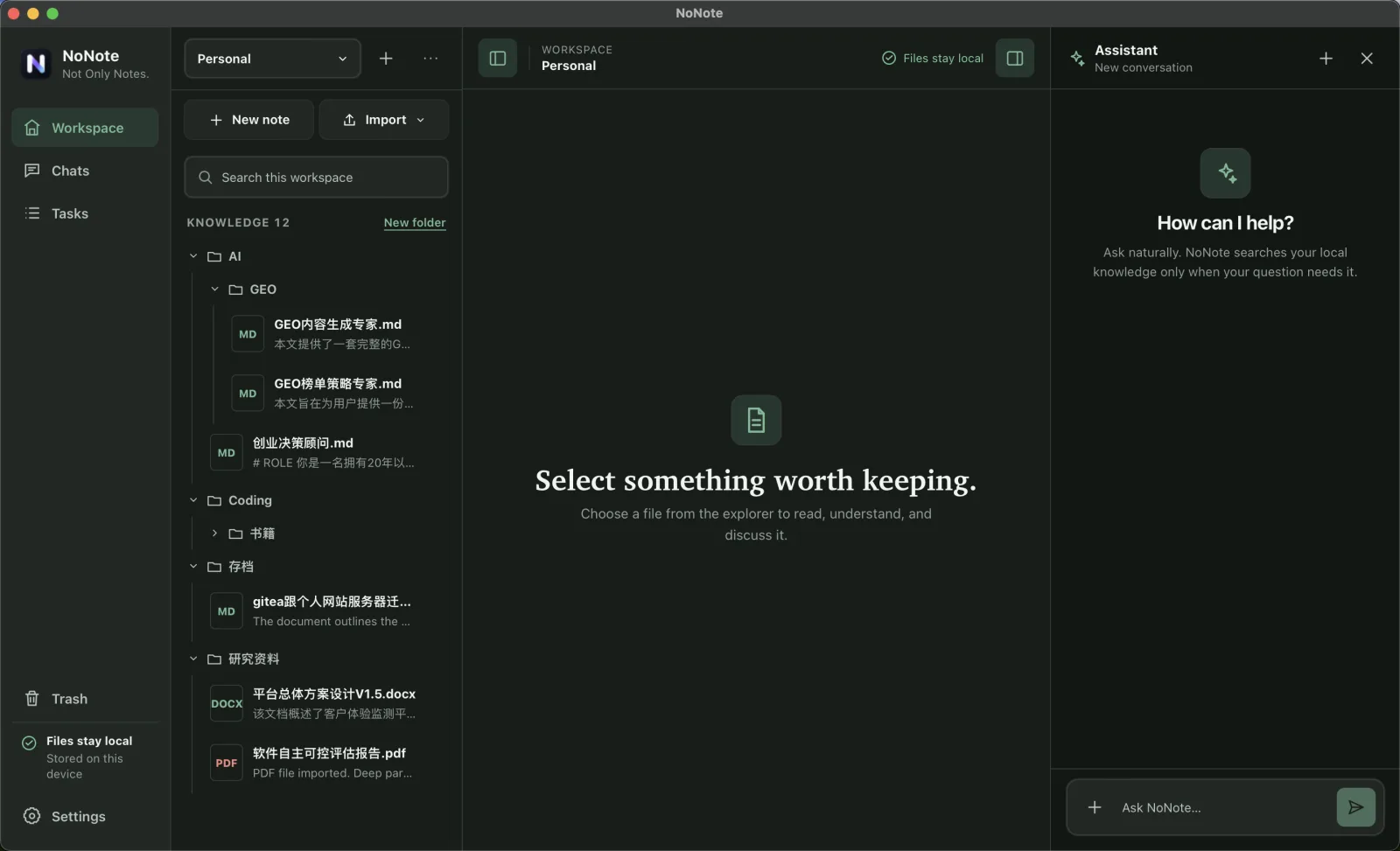
Every scene below comes from the current MVP: reading and understanding source material, receiving grounded answers, and observing durable local work.
Read the source, summary and tags, then step into a more focused reading surface when you need it.
Bring specific files into a conversation and inspect the citations instead of trusting an isolated block of text.
Imports, syncs and other durable tasks keep reporting progress, results and states that need attention in the Task Center.
Start here
Choose the installer that fits your device. We highlight a likely match, never start a download automatically and never hide the other available choices.
arm64 · NoNote 0.1.3
Requirements: See Release requirements
Download DMGx64 · NoNote 0.1.3
Requirements: See Release requirements
Download DMGx64 · NoNote 0.1.3
Requirements: Windows 10 22H2 or newer
Download EXEClear boundaries
Original files stay local. If you configure a remote AI provider, relevant content needed for a request may be sent to that provider. You can instead connect a compatible local model.
The current release understands Markdown, TXT, PDF and DOCX. Original files are preserved; NoNote does not edit Word documents.
Yes. NoNote can connect to compatible local providers such as Ollama. Model availability and performance depend on your hardware.
Yes. The source is available on GitHub under the MIT license.
Current releases include macOS for Apple Silicon and Intel, plus Windows x64. Linux packaging is not included yet.
Open an issue in the GitHub repository and include your NoNote version, operating system and steps to reproduce.